A profit report for your own shop
See what a month earned after Etsy's fees, your ad spend and your product costs. Every figure says where it came from. A figure we cannot back up is left blank, with the reason, and is never shown as zero.
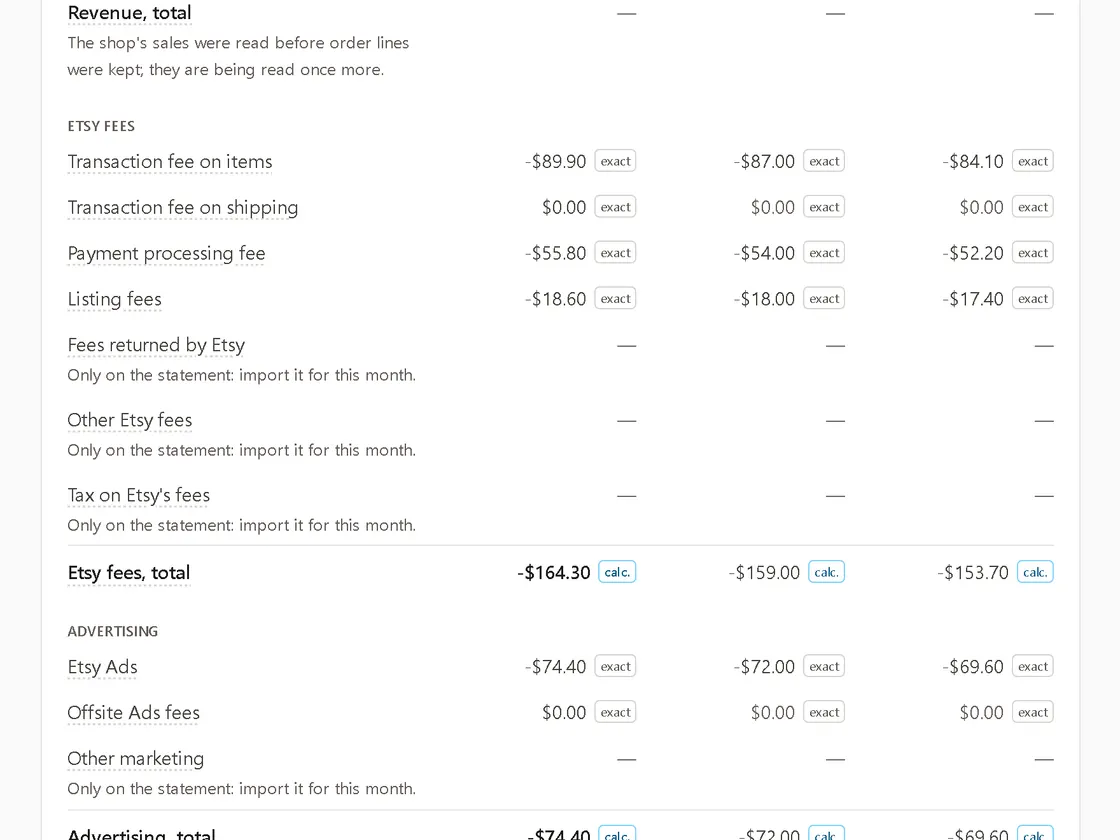
Where the figures come from
- Sales and Etsy's fees are read from your shop through Etsy's API and updated each night, with the last 30 days read again so refunds show up.
- Upload your monthly statement CSV and it becomes the top source for that month. Its lines add up to the file's total to the cent, and each difference from our own figure is explained.
- Upload your Etsy Ads report for daily ad spend. It is a shop-wide figure and is not spread over listings.
- You add your own product costs per profile.
What it keeps
Order numbers, listing ids, amounts and dates. Buyer names, addresses, emails and messages are never read into it or stored. The files you upload are read in memory and not kept.
How long
It is kept as long as the Privacy Policy says, and deleted at once when you disconnect the shop. You can also delete your sales history yourself; the report then starts from that day.
What it is not
It is your own profit, cost and ads report, not a copy of Etsy Stats. It shows listing views and favourites from Etsy, but Etsy's API has no search impressions, search terms or traffic sources, so neither do we. Ad suggestions point you to Shop Manager: Listyro never changes your ads.